SLA Shader
Intro
Create novel noise effects.
The SLA Shader is kindly provided under licence by David Farmer in celebration of the life of Mark Coleran.
UI
Noise Type - Select the noise type:
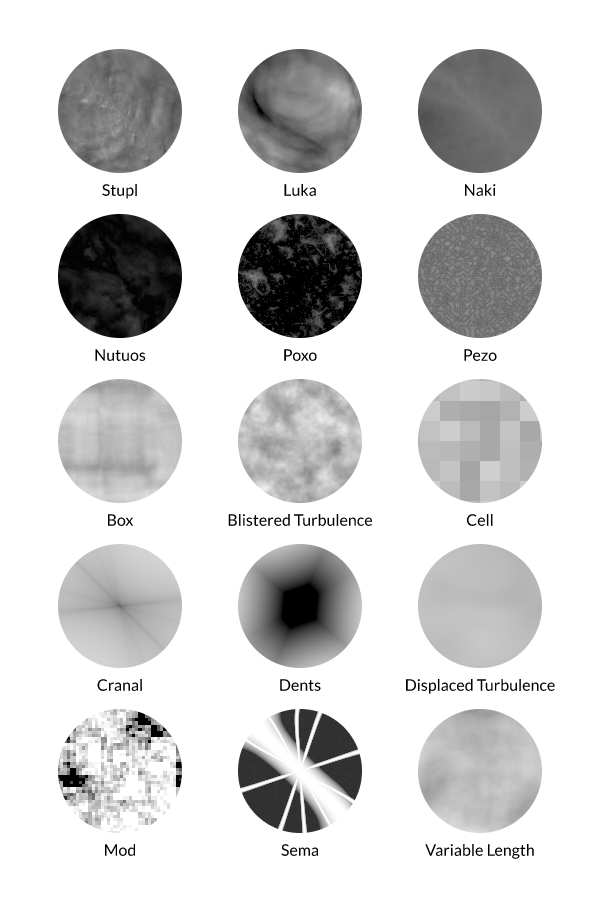
Octaves - The number of octaves over which the noise function is calculated. Use a higher value to increase the amount of detail in the noise pattern.
Scale - Increase/decrease the scale of the noise.
Offset - Offset the noise position in x/y.
Color A - Set a color for the noise to interpolate with Color B.
Color B - Set a color for the noise to interpolate with Color A.
Invert - Invert RGB colors. Note that this is a post process so is not 'flipping' Color A and Color B – alpha is not affected.
Gamma - Set the gamma correction applied to the input values where values greater/less than 1 will darken/lighten a Layer.
Displacement - Increase this value to create more turbulent noise.
Time - This attribute is automatically connected to the Composition's frame number. Disconnect it for static Noise.
Time Scale - Increase/decrease the speed of the noise.